Best Smart Locks for 2026: A Locksmith's Honest Picks
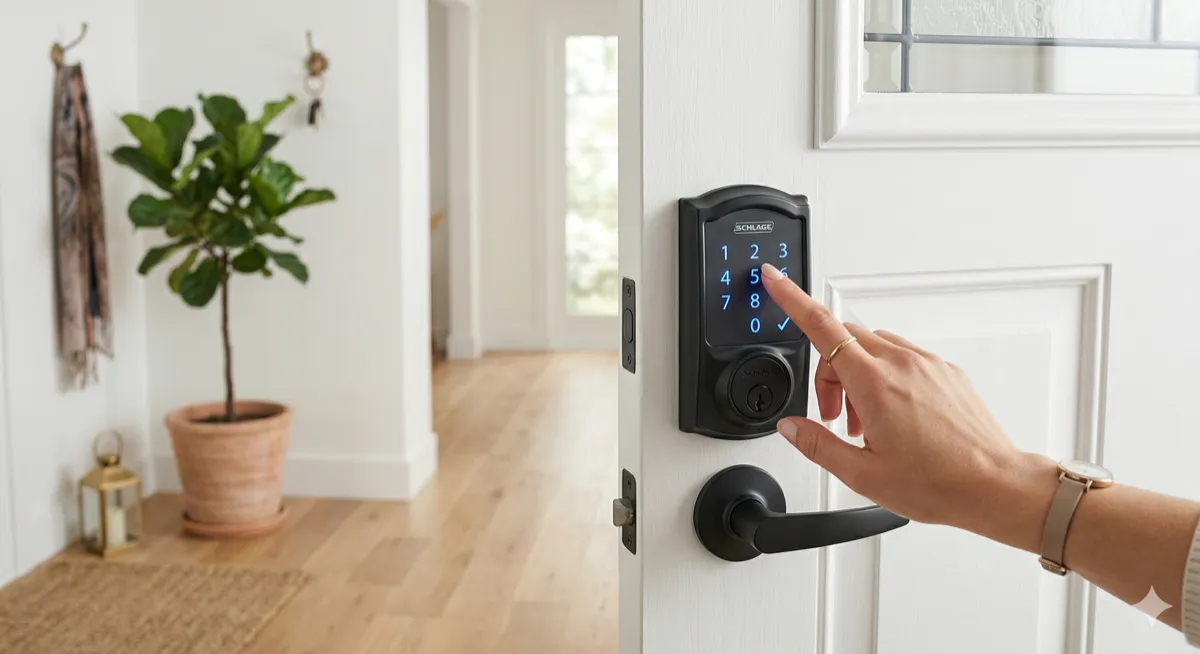
We install and service smart locks every week. We see which ones hold up after a year and which ones become expensive paperweights. This isn’t a list based on spec sheets. It’s based on what actually works on real doors, in real weather, with real people using them daily.
Here are our picks for the best smart locks in 2026, and a few you should skip.
What Makes a Good Smart Lock
Before the list, here’s what matters in practice:
- Reliability. Does it unlock every time, or does it glitch when it’s cold, when the battery is low, or when your Wi-Fi drops?
- Battery life. Changing batteries every 3 months gets old. The best locks last 9 to 12 months on a set of batteries.
- Ease of use. If your family can’t figure it out, it doesn’t matter how many features it has.
- Physical security. A smart lock is still a lock. The deadbolt and strike plate matter more than the Bluetooth chip.
- Backup entry. What happens when the battery dies and your phone is dead? You need a physical key backup or a keypad.
Our Top Picks
1. Schlage Encode Plus (Best Overall)
Price: $280 to $320 installed
This is the lock we recommend most often. It’s been on the market for a few years now and has proven itself.
What we like:
- Built-in Wi-Fi (no hub or bridge needed)
- Apple Home Key support (unlock with your iPhone or Apple Watch, just like a hotel room)
- Keypad with backlit numbers
- Physical key backup
- BHMA Grade 1 certified (the highest residential security rating)
- 12-month battery life in real-world use
What to know:
- It’s larger than some competitors, so check your door thickness and clearance
- Android support is through the Schlage Home app (no Home Key equivalent, but keypad and app both work)
This is the lock we install on our own doors. That says enough.
2. Yale Assure Lock 2 (Best for Smart Home Integration)
Price: $220 to $280 installed
Yale redesigned this lock from the ground up and it shows. Slim profile, clean design, and it plays nicely with every smart home platform.
What we like:
- Works with Apple HomeKit, Google Home, Amazon Alexa, and Samsung SmartThings
- Available in Wi-Fi, Bluetooth, or Matter versions (Matter is future-proof)
- DoorSense sensor tells you if the door is actually closed and locked
- Auto-lock and auto-unlock based on your phone’s location
- Slim design that looks good on modern doors
What to know:
- No built-in keypad on the base model (available as an add-on module)
- Battery life is 6 to 9 months with Wi-Fi, longer with Bluetooth-only
- You’ll want the Wi-Fi version for remote access
Great choice if you’re already invested in a smart home ecosystem and want everything talking to each other.
3. August Wi-Fi Smart Lock (4th Gen) (Best Retrofit)
Price: $200 to $250 installed
August’s approach is different: it replaces only the interior portion of your deadbolt. Your exterior hardware stays the same. From outside, nobody knows you have a smart lock.
What we like:
- Installs over your existing deadbolt in 10 minutes
- Keeps your exterior aesthetic unchanged
- Auto-unlock as you approach (works reliably after the latest firmware updates)
- Guest access and temporary codes through the app
- Small and discreet
What to know:
- No keypad (you use your phone or the app to unlock)
- If your existing deadbolt is cheap or worn, the smart features won’t fix a bad lock
- Battery life is 4 to 6 months (shortest on this list)
Best for renters, HOA-restricted homes, or anyone who doesn’t want to change their door’s appearance.
4. Level Lock+ (Best Looking)
Price: $300 to $350 installed
Level hides all the smart lock technology inside the lock itself. From the outside, it looks like a completely normal deadbolt. It’s the only smart lock that genuinely looks like a regular lock.
What we like:
- Invisible technology, standard deadbolt appearance
- Apple Home Key support
- Compact, no bulky interior hardware
- Physical key still works normally
What to know:
- No keypad option
- No Wi-Fi (Bluetooth only, needs a HomePod or Apple TV as a hub for remote access)
- Battery life is about 8 months (uses a CR2 battery, not standard AAs)
- Limited to Apple ecosystem for full features
If aesthetics are your top priority and you’re in the Apple ecosystem, this is the one.
5. Kwikset Halo Touch (Best Fingerprint Lock)
Price: $230 to $280 installed
Fingerprint unlocking is fast and convenient. No codes to remember, no phone to pull out, no key to carry.
What we like:
- Fingerprint reader works in under 1 second
- Stores up to 100 fingerprints
- Built-in Wi-Fi, no hub needed
- Keypad backup if fingerprint fails (wet or dirty fingers)
- Physical key backup
What to know:
- Fingerprint reader can struggle in extreme cold (below 20°F), relevant for Utah winters
- Reader needs occasional cleaning for consistent performance
- BHMA Grade 2 (not Grade 1 like the Schlage)
Great for families with kids. No codes to forget, no keys to lose. Just touch and enter.
Locks We Don’t Recommend
Ultraloq U-Bolt Pro WiFi. Packed with features on paper, but we’ve seen reliability issues with the fingerprint reader and frequent firmware update problems. Customers call us back within 6 months too often.
Any lock without a physical key backup. If the battery dies and there’s no keyhole, you’re paying a locksmith to drill out your own lock. Always have a mechanical backup.
Off-brand Amazon smart locks under $100. The deadbolt mechanisms are flimsy. The apps stop getting updates after a year. The security is questionable. Your front door lock is not where you cut costs.
Installation Tips
- Check your door prep. Smart locks need standard door prep (2-1/8" bore hole, 1" edge bore). Most modern doors have this, but some older homes may need modification.
- Measure your door thickness. Standard is 1-3/8" to 1-3/4". Some smart locks won’t fit doors outside this range.
- Consider your strike plate. A smart lock is only as strong as the strike plate holding the bolt. Upgrade to a 3-inch-screw reinforced strike plate while you’re at it. Costs $10 in hardware, adds significant kick resistance.
- Test before you commit. After installation, test the lock 20 times: lock, unlock, auto-lock, app unlock, key unlock. Make sure everything works before the locksmith leaves.
Professional Installation vs. DIY
Most smart locks are marketed as “DIY install in 15 minutes.” That’s true if your door is perfectly prepped and you’re handy. In practice, we get calls every week from people who:
- Stripped screws during installation
- Installed the lock with the deadbolt misaligned
- Can’t get the app to connect
- Didn’t realize their door prep was wrong
Professional installation costs $50 to $100 on top of the lock price. You get correct alignment, verified connectivity, and a locksmith who can troubleshoot any door prep issues on the spot. Worth it for most people.
GoKey Locksmiths: Smart Lock Installation in Salt Lake City
We sell, install, and service all the locks on this list (and most others). If you’re ready to upgrade to a smart lock, or if you want help choosing the right one for your door and your setup, call GoKey Locksmiths at (801) 512-4658.
We serve the entire Salt Lake City metro: Riverton, South Jordan, Draper, Herriman, Sandy, and West Jordan. Matt Johnson and the GoKey team have been helping homeowners upgrade their security since 2015.
Smart lock, dumb lock, or anything in between: we’ll get it installed right.
Need a locksmith right now?
GoKey Locksmiths is available 24/7 for emergency service in Salt Lake City and surrounding areas.
📞 Call (801) 512-4658