
Smart Lock Batteries Dying in Draper? What to Do Before You Get Locked Out
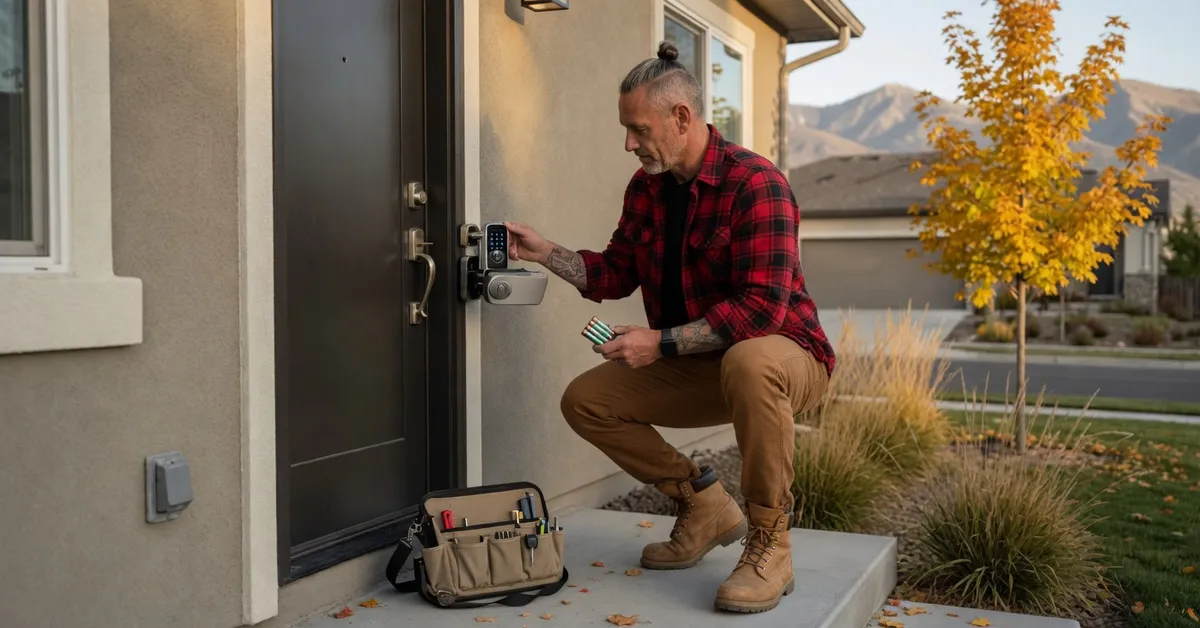
A smart lock almost never dies without warning. It beeps, it blinks, the app sends a notice, and then one cold evening the keypad stays dark while you stand on the porch with groceries. In Draper, a lot of newer homes came with a keypad or app-controlled deadbolt already on the front door. That is great until the batteries give out.
Matt Johnson started GoKey Locksmiths in Riverton in 2015 after the Marine Corps, and smart locks are a regular part of the work now. Most of the dead-battery calls we see could have been a two-minute battery swap a week earlier. Here is how to stay ahead of it, and what to do if you are already outside a dark keypad.
Why the batteries go first when it gets cold
Most residential smart locks run on four AA batteries. Some use AAA, and a few use a single CR2 or a rechargeable pack. Whatever is inside, cold weather is hard on it. Standard alkaline batteries lose usable power as the temperature drops, so a set that seemed fine in September can fall below what the motor needs on the first hard freeze.
The lock is also working harder in winter. Doors shrink and swell with the temperature, and a deadbolt that rubs on the strike plate makes the motor pull more current every time it throws the bolt. Auto-lock and Wi-Fi add more drain. Put all of that together on a north-facing Draper porch in December, and a lock that usually lasts most of a year can run down in a few months.
If your lock seems to eat batteries, the battery is often not the real problem. A bolt that drags is. Push the door closed and try the deadbolt by hand. If it binds, the strike needs an adjustment. Our frozen locks guide covers what cold does to the mechanical side of a door.
Learn the warning signs
Every major brand gives some kind of low-battery warning. The trouble is that people tune it out. Watch for:
- A different beep or a red or amber light when you lock or unlock. Many keypads flash a warning for weeks before they quit.
- A low-battery notice in the app. Make sure notifications are on for every person in the house who uses the lock, not only the one who set it up.
- A slower or weaker bolt. If you hear the motor strain, or the bolt stops short and the lock reports a jam, low power is a common cause.
- The keypad takes two tries. A keypad that ignores the first press or goes dark halfway through a code is near the end.
When you see any of these, change all of the batteries that day. Do not wait for the weekend.
Change them the right way
A battery swap takes a few minutes, but a few habits keep it from turning into a service call:
- Change them from inside, with the door open. The battery cover is almost always on the interior unit. Prop the door so a slip with the bolt cannot lock you out.
- Replace the whole set. Do not mix one new battery with three old ones. The weak ones drag the new one down.
- Use the type your manual names. Most locks want fresh name-brand alkaline batteries. Many manufacturers warn against rechargeables because their lower voltage can confuse the battery meter. Check before you buy.
- Test it several times. Lock and unlock with the keypad, the app, and the key. If your lock has auto-lock, let it run once.
If the new batteries drain fast too, the lock or the door needs attention. Our smart lock installation work includes battery checks and troubleshooting, and we can tell you whether the fix is a strike adjustment or a lock that is past its best.
Know your backup way in, today
The time to find out how your lock opens without power is not while you are standing outside it. Most smart locks have at least one backup, and every household member should know which one yours has.
A physical key. Many smart deadbolts still have a keyway. That only helps if the key exists and is not in the junk drawer on the inside of the locked door. Keep one where you can reach it from outside the house: with a trusted neighbor, in your car, or with family nearby. We said it in our best smart locks list too: a lock with no mechanical backup is a lock you may have to drill.
Emergency battery contacts. Some keypad models have two small contacts on the outside where you can hold a 9-volt battery against them to wake the keypad long enough to enter your code. Others have a USB port for the same job. Not every lock has this, and the location varies, so check your manual now and keep a 9-volt in the car if yours uses it.
Another door. If the garage door opener still works, the door from the garage into the house may get you in. That only helps if that door is not on the same dead smart lock.
If you are already locked out
Stop and check the backups above first. If none of them work, here is what not to do:
- Do not pry the keypad off the door. The exterior unit is usually not where the batteries are, and you can damage the cable that runs through the door.
- Do not drill it yourself. Drilling a smart lock wrecks expensive hardware and may not even open the door.
- Do not force the door with your shoulder. A cracked jamb costs far more than a lockout call.
A residential lockout runs about $75 to $250 depending on the lock and the time of day, and after-hours calls add about $50 to $150. That is the same range as our house lockout guide and the full Salt Lake locksmith cost breakdown. Opening a door with a dead smart lock usually does not mean destroying the lock.
For Draper calls, our Draper residential locksmith and Draper emergency locksmith coverage is the same crew and the same pricing rules as the rest of the valley.
When to replace the lock instead
Batteries fix most of these calls. Sometimes the lock itself is the problem. Think about a replacement when:
- The batteries die every few weeks even after the strike and door are adjusted.
- The lock has no physical key backup and you have already been locked out once.
- The motor or keypad is failing with fresh batteries, or the lock is old enough that the app no longer supports it.
A standard deadbolt installation runs about $100 to $300. Smart locks cost more, usually about $200 to $500 or higher for premium models, including hardware. Our deadbolt guide explains what to look for in the mechanical side, which still matters on a smart lock. We quote before we start.
A simple fall routine for smart lock owners
When the nights in Draper start dropping below freezing, take ten minutes:
- Put fresh batteries in every smart lock in the house.
- Turn on low-battery notifications for everyone who uses the locks.
- Confirm where the backup key is and that it opens the door.
- Check your manual for an emergency battery contact, and put a 9-volt in the car if you have one.
That small habit prevents most smart lock lockouts we see in the south valley, from Draper to Sandy and Riverton.
Contact GoKey Locksmiths
Smart lock beeping at you, a keypad that went dark, or a lock that eats batteries? Call GoKey Locksmiths at (801) 512-4658. We are licensed and insured, based in Riverton, and serve Draper and the rest of the Salt Lake Valley. We will tell you what the lock needs and what it costs before any work starts.
Need a locksmith right now?
GoKey Locksmiths is available 24/7 for emergency service in Salt Lake City, Utah Valley, and surrounding communities.
Call (801) 512-4658